
MISSION PLANNING, UNLOCKED
Plan mapping flights
DJI won't let you.
Your Mini 4 Pro, Air 3, or Mavic 3 has waypoint support but no mission planning software and no SDK. Waypoint OS is a desktop app that lets you draw a boundary, auto-generate flight lines matched to your camera, and export a KMZ file you drop onto your controller. Done.
$0
One-time. Forever.
Win + Mac
Native Desktop App
0
Subscriptions
100%
Your Data Stays Local
$10–30/mo for "premium" mapping features elsewhere → $0 once, forever
Every feature included. Every update free. No tiers. No upsells. No expiration.
HOW IT WORKS
From boundary to flight plan
in under two minutes.
No account needed. No cloud dependency.
Everything runs locally on your machine.
01
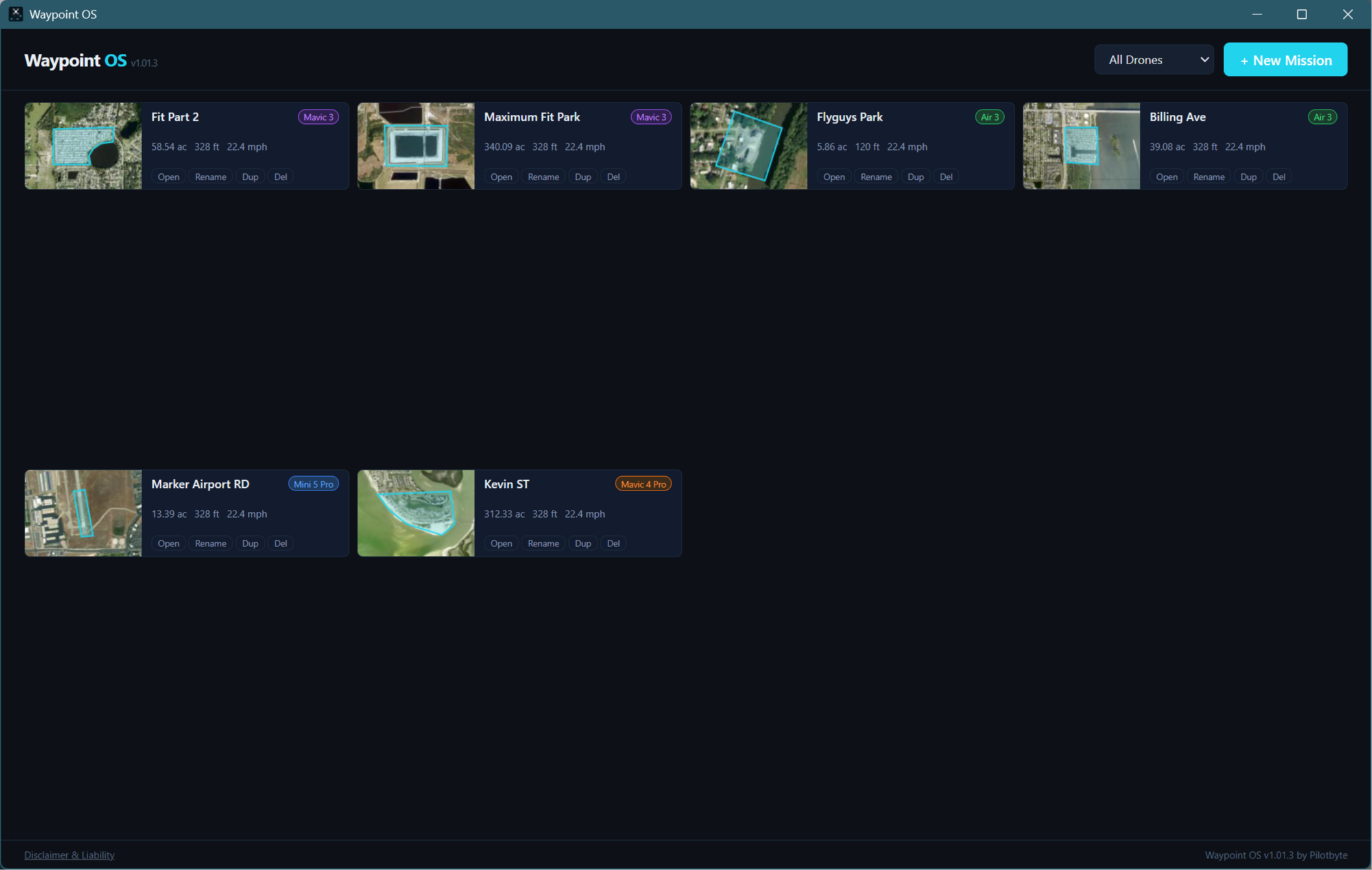
Select your drone
Pick from the built-in drone library. Waypoint OS auto-loads your camera’s sensor size, focal length, and resolution so overlap math is done right, no manual spec entry.
02
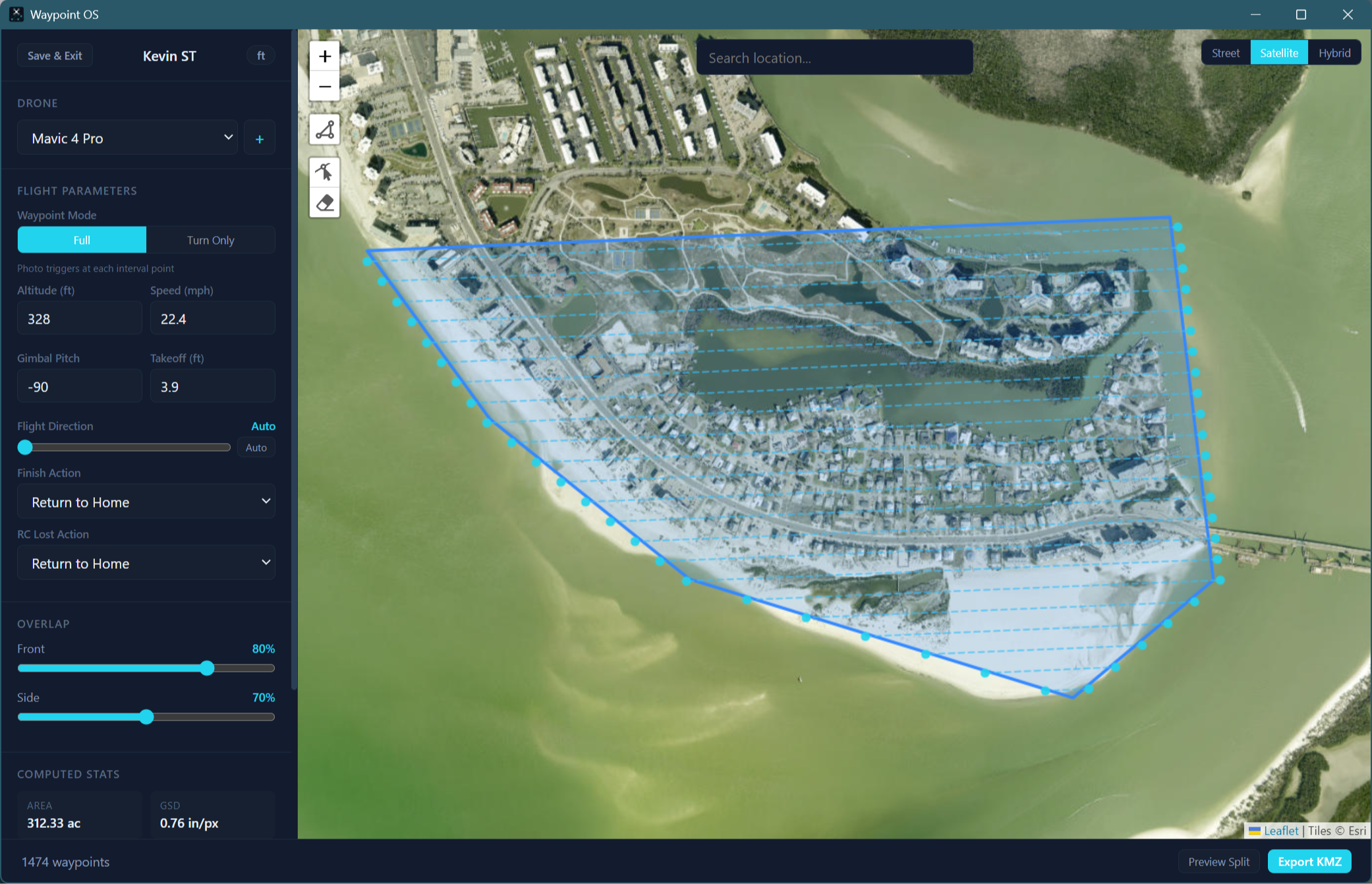
Draw your boundary
Click points on the satellite or street map to outline your survey area. Close the polygon and see real-time area, GSD, and estimated photo count update instantly.
03
Tune your parameters
Set altitude, speed, frontal and side overlap. Watch the flight lines recalculate live on the map. Spacing is computed from your actual camera specs, not guesses.
04
Export and fly
One click exports a DJI-compatible KMZ file. Transfer it to your controller, load the mission in DJI Fly, and fly a fully automated mapping grid with straight-line paths.
FEATURES
Everything you need.
Nothing you don't.
Built for commercial drone operators who need reliable mission planning without the enterprise price tag.
Auto Flight Lines
Lawnmower pattern generation clipped to your polygon boundary. Serpentine routing minimizes turning time. Optional overshoot buffer for full edge coverage.
Camera-Aware Overlap
Frontal and side overlap percentages drive actual line spacing based on your drone's sensor dimensions and focal length. Real photogrammetry math, not generic defaults.
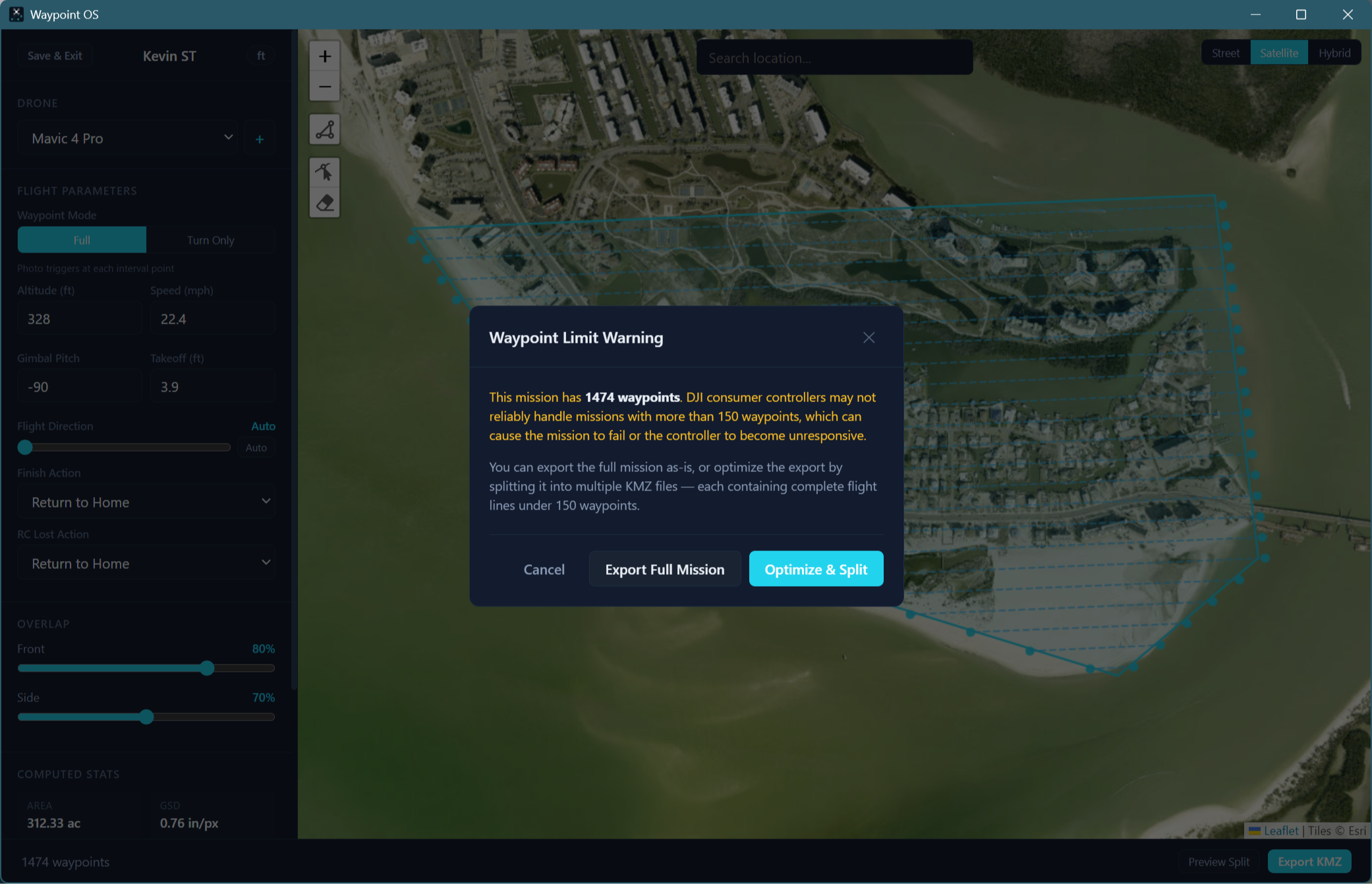
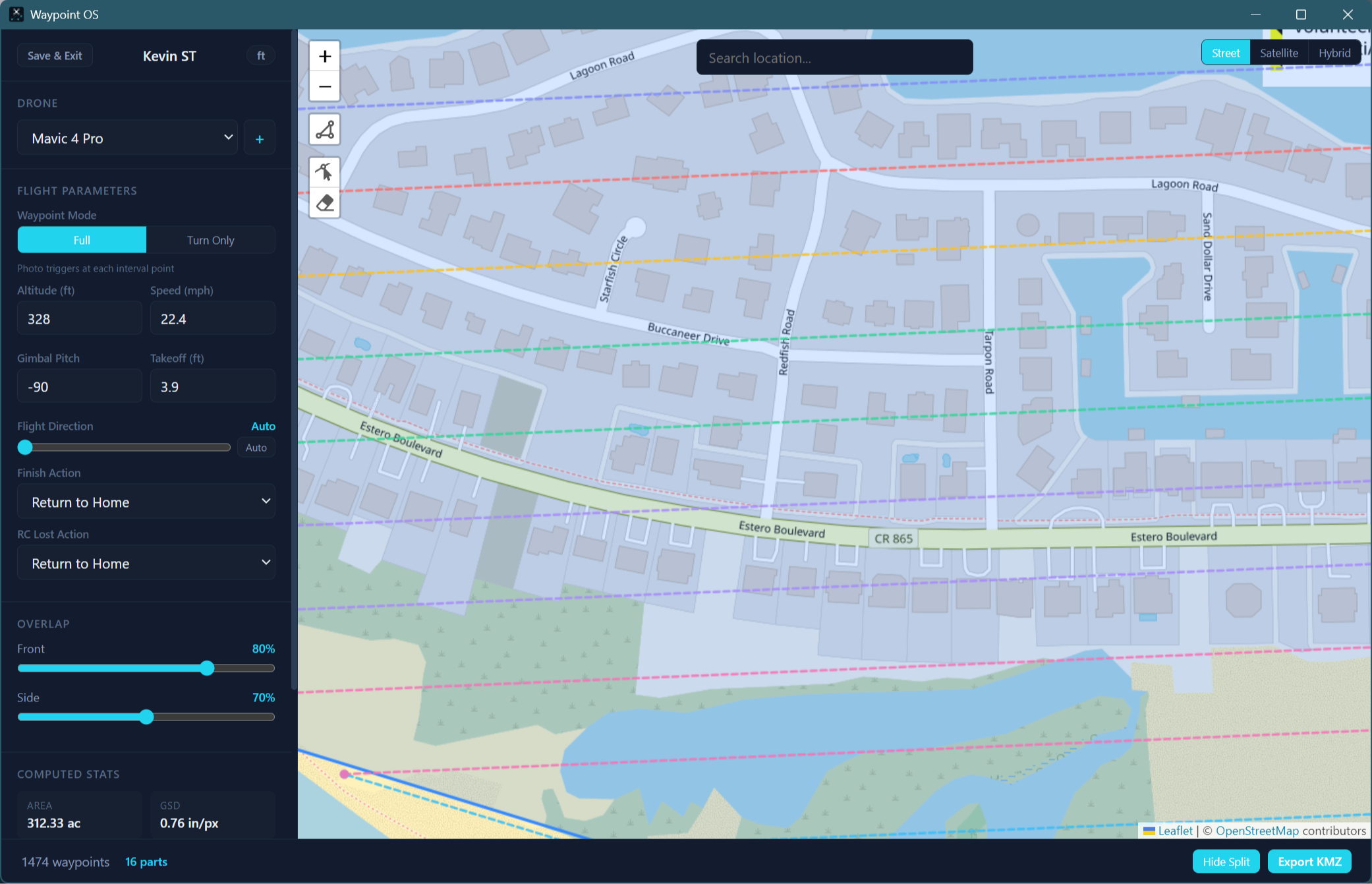
Mission Splitting
Large area? Waypoint OS warns when you approach controller waypoint limits and can split the mission into multiple KMZ files sized for a single battery.
Project Dashboard
Save unlimited projects with a name, description, and drone assignment. Sort and filter by drone model, date, or status. Duplicate past projects to iterate faster.
Satellite + Street Map
Toggle between satellite imagery and street tiles. Geocoding search bar to jump to any address. Vertex-by-vertex polygon editing with snap handles.
Free Updates, Forever
New drone profiles, algorithm improvements, and UI enhancements are all included. When DJI drops a new drone with waypoints, we add it. You never pay again.
Automated Camera Triggers
Photo trigger intervals are pre-calculated based on your speed, altitude, and overlap settings. The KMZ embeds the right spacing so DJI Fly fires the shutter on schedule.
Straight-Line Paths
Flight lines use straight segments, not DJI Fly's default curved splines that ruin mapping coverage. Your grid stays a grid.
Commercial Ready
Licensed for commercial use on day one. No "personal only" restrictions. Use it on client jobs, government contracts, inspection work, anything.
COMPATIBILITY
Works with every DJI drone
that has waypoints.
If your drone supports waypoint missions in DJI Fly but doesn't have SDK-based mission planning software, Waypoint OS fills the gap.
● Mini 4 Pro
1/1.3" · 48MP · 24mm
● Mini 5 Pro
1/1.3" · 48MP · 24mm
● Air 3
1/1.3" Dual · 48MP
● Air 3S
1/1.3" Dual · 48MP
● Mavic 3
4/3 CMOS · 20MP · 24mm
● Mavic 3 Classic
4/3 CMOS · 20MP
● Mavic 3 Pro
4/3 CMOS · Triple Cam
● Mavic 4 Pro
4/3 CMOS · 100MP
New DJI drones with waypoint support are added as profiles in free updates. Built-in drone sorting in the dashboard lets you filter projects by model.
WHY WAYPOINT OS
Same features. No subscription.
Other tools charge monthly or gate mapping features behind premium tiers. Waypoint OS ships everything on day one.
PLATFORM
Native on Windows and macOS.
Not a web app. Not a mobile app. A real desktop application that runs entirely on your machine.
WINDOWS
Windows 10 / 11
Native installer with auto-update support. Runs on any modern Windows machine, no special hardware required.
✓ One-click .exe installer
✓ Auto-updates in background
✓ USB file transfer to DJI controllers
✓ Works with RC 2, RC Pro, RC-N series
MACOS
macOS 12+
Universal binary runs on both Intel and Apple Silicon. Drag-to-install, clean uninstall, the Mac way.
✓ Apple Silicon and Intel support
✓ Auto-updates in background
✓ Works with Android File Transfer for DJI RC
✓ AirDrop KMZ to iOS flying devices
Your data never leaves your machine.
Waypoint OS stores everything in a local database on your computer. No accounts. No cloud sync. No telemetry. Your project data, flight plans, and client site locations stay on your hard drive, never on our servers, never shared with anyone. You own your data completely.
GET STARTED
Stop paying monthly for features
that should be included.
One download. Every feature. Every update. No expiration date. Plan your first mapping mission in under two minutes.
Instant download after purchase. Windows + macOS included.
Waypoint OS by Pilotbyte
Not affiliated with or endorsed by DJI. Fly with caution and at your own risk. Always verify your mission parameters before flight. Use of this software for commercial operations requires a valid FAA Part 107 certificate (or equivalent in your jurisdiction).